English
 Pусский
 Español
 Português
 العربية
 فارسی
فارسی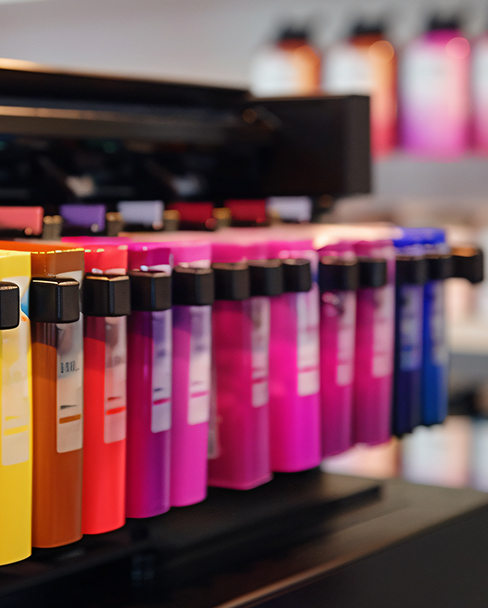
How to Prevent and Fix Printhead Clogs in CIJ Printers
A practical maintenance guide for industrial coding professionals
Continuous Inkjet (CIJ) printers are workhorses of industrial production lines, capable of printing high-quality date codes, batch numbers, and barcodes at speeds exceeding 300 meters per minute. But there is one problem that every CIJ operator will eventually face: printhead clogs. When the microscopic nozzle orifice — typically between 40 and 80 microns in diameter — becomes partially or fully blocked, print quality degrades rapidly. Characters become jagged, codes become unreadable, and in severe cases, production must stop entirely.
The good news is that printhead clogs are almost entirely preventable with the right maintenance discipline, and most clogs that do occur can be resolved on-site without calling for service. This guide covers everything you need to know: what causes clogs, how to prevent them, and how to fix them when they happen.
In This Guide
What Causes Printhead Clogs in CIJ Printers?
Understanding the root causes is the first step to preventing clogs. CIJ printers use solvent-based inks that are designed to dry quickly on substrates — which means they can also dry quickly inside the printhead if conditions are wrong. Here are the six most common causes:
1. Solvent Evaporation
The most common cause. When the printer is idle — during shift changes, lunch breaks, or overnight shutdowns — solvent in the ink evaporates from the nozzle face. Left unchecked, the ink dries and hardens inside the orifice, progressively narrowing the opening.
2. Ink Degradation
CIJ inks have a shelf life. Using expired ink or mixing old and new ink batches can cause pigment separation, resin precipitation, and particle formation — all of which can block the nozzle.
3. Environmental Contamination
Dust, fibers from packaging materials, and airborne particles in the factory environment can accumulate on the nozzle face and eventually get drawn into the orifice. High-dust environments (paper mills, textile factories) are especially problematic.
4. Temperature & Humidity Extremes
High temperatures accelerate solvent evaporation. Low temperatures increase ink viscosity, reducing flow through the nozzle. Both extremes disrupt the delicate balance that keeps ink flowing freely.
5. Incorrect Shutdown Procedure
Powering off a CIJ printer without running the proper shutdown flush sequence leaves residual ink in the nozzle and tubing. This ink dries overnight and creates a hard block that is much more difficult to remove than a fresh clog.
6. Using Non-OEM Consumables
Third-party inks and solvents that are not formulated for your specific printer model may have incompatible viscosity, solvent ratios, or particle sizes — all of which increase clog risk.
Prevention: Daily & Weekly Maintenance Routines
An ounce of prevention is worth a pound of cure — this has never been more true than with CIJ printhead maintenance. The following routines, when followed consistently, will dramatically reduce clog incidents.
Daily Maintenance (Every Shift)
| Task | How To | Why It Matters |
|---|---|---|
| Check nozzle face | Visually inspect the printhead nozzle for ink buildup or debris. Wipe gently with a lint-free cloth dampened with approved cleaning solvent. | Removes surface contamination before it enters the orifice. |
| Verify ink/solvent levels | Check that ink and make-up solvent cartridges are adequately filled. Replace low cartridges before they run dry. | Running a CIJ printer with low solvent leads to concentrated ink that clogs more easily. |
| Run auto-flush | Execute the automatic printhead flush cycle (available on most modern CIJ models such as VJ 1880+, Linx 8900, and Domino Ax-Series). | Clears minor buildup from inside the nozzle using pressurized solvent. |
| Print a test pattern | Run a test print and examine code quality — look for missing dots, feathered edges, or uneven character height. | Catches early-stage partial clogs before they become full blockages. |
| Proper shutdown flush | At end of shift, run the full shutdown/flush sequence. Never simply power off the machine. For extended shutdowns, remove and cap the printhead if possible. | Prevents ink from drying inside the nozzle during idle periods. |
Weekly Maintenance
| Task | Details |
|---|---|
| Deep clean nozzle | Apply manufacturer-approved cleaning solvent directly to the nozzle face using a cotton swab or lint-free pad. Let it soak for 2-3 minutes, then gently wipe away dissolved residue. Do not use abrasive materials. |
| Check filter condition | Inspect the ink line filter (if your model has one) for contamination. A clogged filter restricts ink flow and increases nozzle stress. Replace per manufacturer schedule. |
| Inspect tubing | Check the ink delivery tubing for kinks, cracks, or soft spots. Damaged tubing can introduce air into the ink system, which destabilizes the jet and contributes to clogging. |
| Review ink expiration | Check expiration dates on all ink and solvent cartridges. Rotate stock using FIFO (first in, first out). Never mix ink from different manufacturers or batches. |
| Verify environmental conditions | Confirm operating temperature is within 5-40°C (41-104°F) and humidity between 20-80% RH. Install enclosures or climate control if the printer is exposed to extreme conditions. |
Routine printhead cleaning with approved solvent prevents most clogs before they start.
How to Detect a Clog Early
Catching a partial clog early can mean the difference between a 5-minute fix and a 2-hour production stoppage. Here are the warning signs to watch for:
Warning Signs of a Partial Clog
- Missing dots in printed characters (gaps in vertical strokes)
- Feathered or fuzzy character edges where they should be sharp
- Uneven character height — some characters taller than others
- The jet stream appears misaligned or "wobbly" when viewed through the printhead sight glass
- Printer triggers a "check printhead" or "poor print quality" alert
- Increased solvent consumption (the printer compensates by flushing more)
Many modern CIJ printers — including the VJ 1880+ with its ink buildup sensor, the Linx 8900 with its diagnostic alerts, and the Domino Ax-Series with its intelligent monitoring — will automatically detect and alert you to developing clogs. Take these alerts seriously and address them immediately rather than dismissing them.
Step-by-Step: Fixing a Clogged Printhead
If you detect a clog, follow this escalation procedure. Always start with the least invasive method and only escalate if the previous step fails.
Step 1: Automatic Flush Cycle
Most CIJ printers have a built-in flush function that forces solvent through the nozzle under pressure. Navigate to the maintenance menu on the printer's control panel and initiate the flush cycle.
Expected result: Clears light surface buildup and fresh dried ink. Effective for clogs that developed within the last few hours.
Step 2: Manual Nozzle Face Cleaning
If the auto-flush doesn't resolve the issue, clean the nozzle manually:
- Put on nitrile gloves and eye protection.
- Apply 3-5 drops of manufacturer-approved cleaning solvent directly onto the nozzle orifice.
- Allow the solvent to soak for 2-5 minutes to dissolve dried ink.
- Gently wipe the nozzle face with a clean lint-free wipe (never use cotton swabs on the orifice itself — fibers can break off and worsen the clog).
- Run a test print to check if quality has improved.
Step 3: Ultrasound Cleaning (For Stubborn Clogs)
If the nozzle remains partially blocked after Steps 1 and 2, ultrasound cleaning is the next option. Many factories have ultrasonic cleaners on-site for other maintenance tasks.
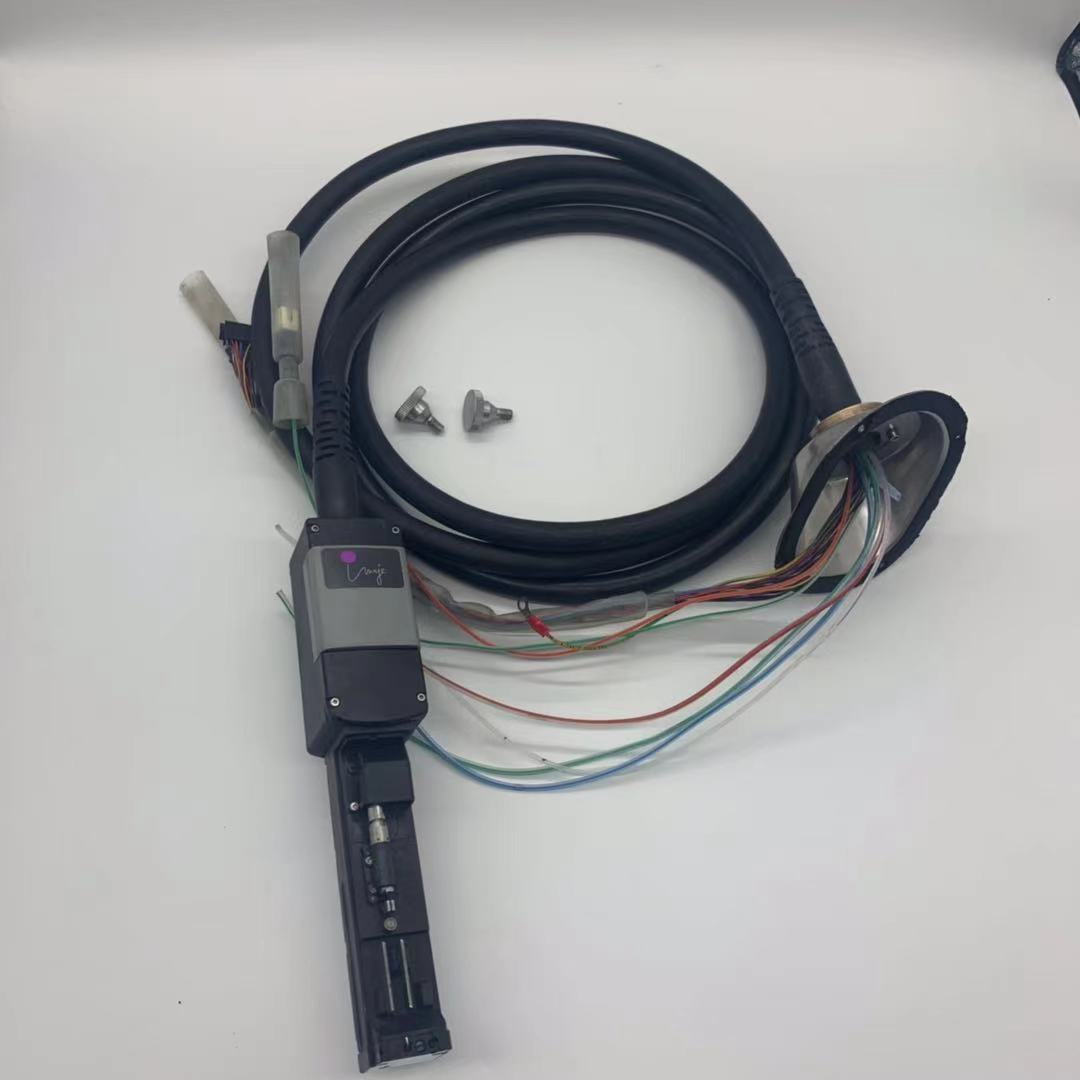
- Remove the printhead from the printer (follow your model's removal procedure — on many models like the VJ 1580 or Linx 8900, the printhead is a plug-and-play module).
- Fill an ultrasonic cleaner bath with the approved cleaning solvent.
- Submerge only the nozzle end of the printhead (do not submerge electrical connectors).
- Run the ultrasonic cleaner for 3-5 minutes at 40 kHz frequency.
- Remove, rinse with fresh solvent, and air dry before reinstalling.
- Run the printer's startup sequence and test print quality.
Important: Never use water in the ultrasonic cleaner. Use only the manufacturer-approved solvent. Water can permanently damage the printhead's internal components.
The difference between a clogged and a properly maintained CIJ nozzle is immediately visible in print quality.
Dealing with Severe Clogs
If none of the above steps resolve the issue, the clog may be severe — typically caused by ink that has hardened over days or weeks, or by foreign particle contamination deep inside the nozzle bore.
When to Escalate
Contact your printer manufacturer's technical support or a certified service engineer if:
- The clog persists after ultrasound cleaning
- You notice physical damage to the nozzle orifice (cracks, deformation)
- The printhead has been removed and soaked for extended periods without improvement
- Print quality issues persist even after replacing the printhead (indicating a deeper system issue)
Do not attempt to drill, needle, or mechanically probe the nozzle orifice. The nozzle bore is typically 40-80 microns — roughly the diameter of a human hair. Any mechanical force will permanently damage the precision-ground orifice and require a full printhead replacement.
In most severe clog cases, the most cost-effective solution is printhead replacement. Many modern CIJ models use modular, plug-and-play printheads (VJ's Smart Cartridge system, Linx's sealed printhead modules) that can be swapped in minutes without tools, minimizing production downtime.
Quick Reference: CIJ Printhead Maintenance Checklist
Print this checklist and keep it near your CIJ printer for daily reference.
Daily (Every Shift)
- Inspect nozzle face for buildup or debris
- Verify ink and solvent levels — top up if needed
- Run automatic flush cycle
- Print and inspect test pattern for quality
- Execute proper shutdown flush at end of shift
Weekly
- Deep clean nozzle face with solvent soak
- Inspect and replace ink line filters as needed
- Check tubing for damage or kinks
- Review ink/solvent expiration dates — rotate stock
- Verify temperature and humidity conditions
Monthly / Quarterly
- Replace ink and solvent cartridges per manufacturer schedule
- Complete annual preventive maintenance per service manual
- Calibrate jet deflection and charge parameters
- Update printer firmware if available
Conclusion
Printhead clogs in CIJ printers are not inevitable — they are the predictable result of neglected maintenance. By following a consistent daily routine of nozzle inspection, solvent level management, and proper shutdown procedures, the vast majority of clogs can be prevented entirely.
When clogs do occur, a systematic escalation from auto-flush to manual cleaning to ultrasound treatment will resolve most issues on-site. The key principle is simple: address small problems before they become big ones. A 2-minute nozzle wipe during shift change is far less costly than a 2-hour production stoppage and an emergency printhead replacement.
Invest the time in maintenance discipline, and your CIJ printer will deliver reliable, high-quality codes for years to come.
Disclaimer: This guide provides general maintenance recommendations applicable to most CIJ printer models. Always refer to your specific printer's operator manual and service documentation for model-specific procedures, approved consumables, and safety requirements. Improper maintenance may void your warranty or cause damage to the equipment.





 IPv6 network supported