English
 Pусский
 Español
 Português
 العربية
 فارسی
فارسی
5 Daily Maintenance Steps to Extend the Lifespan of Your Industrial Inkjet Printer
A practical guide for production line operators and maintenance teams
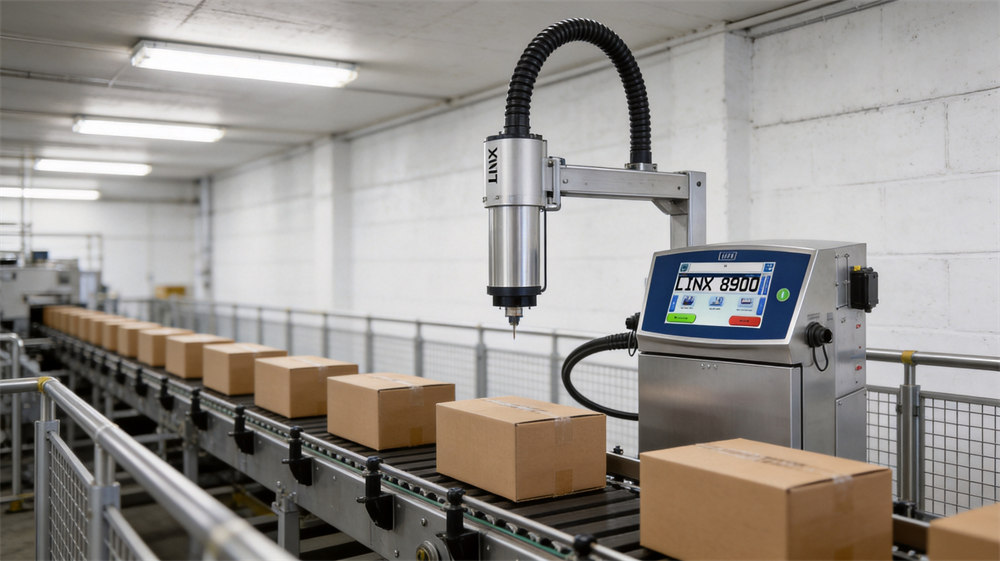
Industrial inkjet printers — particularly Continuous Inkjet (CIJ) models like the Linx 8900, VJ 1880+, and Markem-Imaje 9450E — are the backbone of production line coding. They run shift after shift, printing batch numbers, expiration dates, barcodes, and QR codes at speeds that manual systems simply cannot match. But like any precision equipment exposed to dust, temperature fluctuations, and continuous mechanical stress, they require consistent daily maintenance to perform reliably.
Neglecting daily upkeep is the single biggest factor in premature printer failure. A CIJ printhead that costs thousands to replace can be permanently damaged by something as simple as dried ink left overnight. The good news? A disciplined 10-minute daily routine can prevent the vast majority of problems and add years to your printer's service life. Here are the five essential steps you should perform every single shift.
In This Guide
Step 1: Clean the Printhead Nozzle
The printhead nozzle is the most critical — and most vulnerable — component of any CIJ printer. The nozzle orifice is typically between 38 and 70 microns in diameter, roughly the thickness of a human hair. Even a microscopic film of dried ink or a single speck of dust can partially block the orifice, causing missing dots, blurry characters, and jet instability.
How to Do It (2 minutes)
- Put on nitrile gloves. Inspect the printhead nozzle face visually for ink buildup or debris.
- Apply 3-5 drops of manufacturer-approved cleaning solvent directly onto the nozzle face.
- Allow the solvent to soak for 1-2 minutes to dissolve any dried ink residue.
- Gently wipe the nozzle face with a clean lint-free cloth. Wipe in one direction only — do not scrub back and forth, as this can push debris into the orifice.
- For stubborn residue, use a cotton swab lightly dampened with solvent. Never insert anything into the nozzle orifice itself.
Warning
Never use compressed air, needles, pins, or abrasive materials to clean the nozzle. The orifice is a precision-ground component — any mechanical force will cause permanent damage and require a costly printhead replacement.
Why it matters: This single step prevents the number one cause of CIJ printer downtime — nozzle clogs. A 60-second wipe during shift change is far cheaper than a 2-hour production stoppage and an emergency service call.
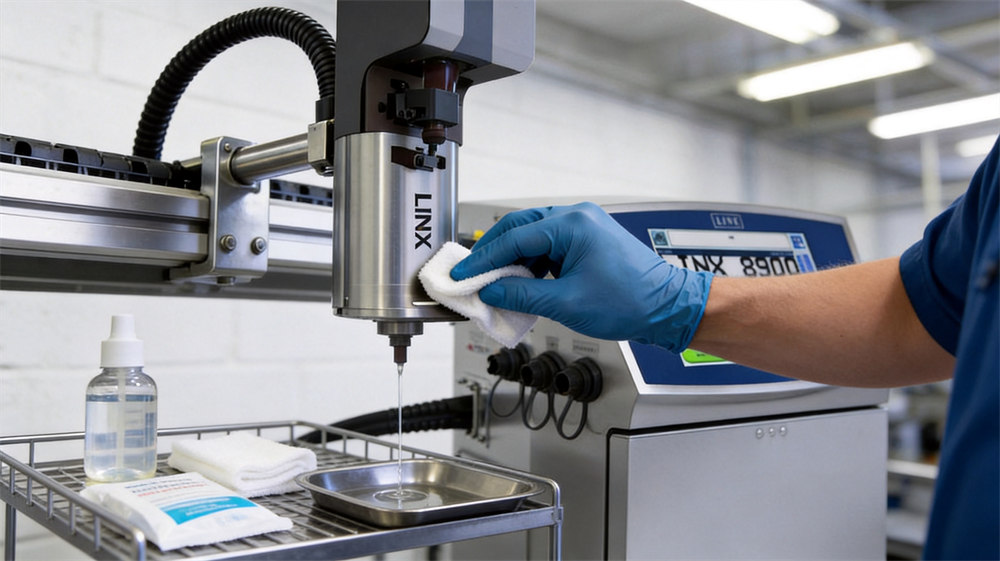
Daily printhead cleaning with approved solvent takes less than two minutes and prevents the most common cause of printer downtime.
Step 2: Check and Top Up Fluid Levels
CIJ printers operate with two essential fluids: ink (the pigment or dye that forms the printed mark) and make-up solvent (a volatile fluid that replenishes the evaporated solvent portion of the ink to maintain correct viscosity). Running either fluid too low can have serious consequences.
| Condition | What Happens | Impact |
|---|---|---|
| Ink runs empty | Air enters the ink system, breaking the continuous ink stream | Immediate print failure; requires time-consuming re-priming procedure |
| Solvent runs low | Ink becomes too viscous as solvent evaporates without replenishment | Thickened ink clogs nozzle and internal passages; can cause permanent printhead damage |
How to Do It (1 minute)
- Check the ink level indicator on the printer display or physically inspect the cartridge.
- Check the make-up solvent level. This is the fluid the printer consumes most rapidly — it is used both to maintain ink viscosity and to flush the printhead during automatic cleaning cycles.
- Replace any cartridge that is below 20% capacity. Never wait until it is completely empty.
- When replacing cartridges, wipe the cartridge port and connector with a lint-free cloth to prevent dust or lint from entering the fluid system.
Pro tip: Always keep at least one spare ink cartridge and two spare solvent cartridges within arm's reach of the printer. Solvent is consumed 3-5 times faster than ink, so you will go through solvent replacements more frequently.
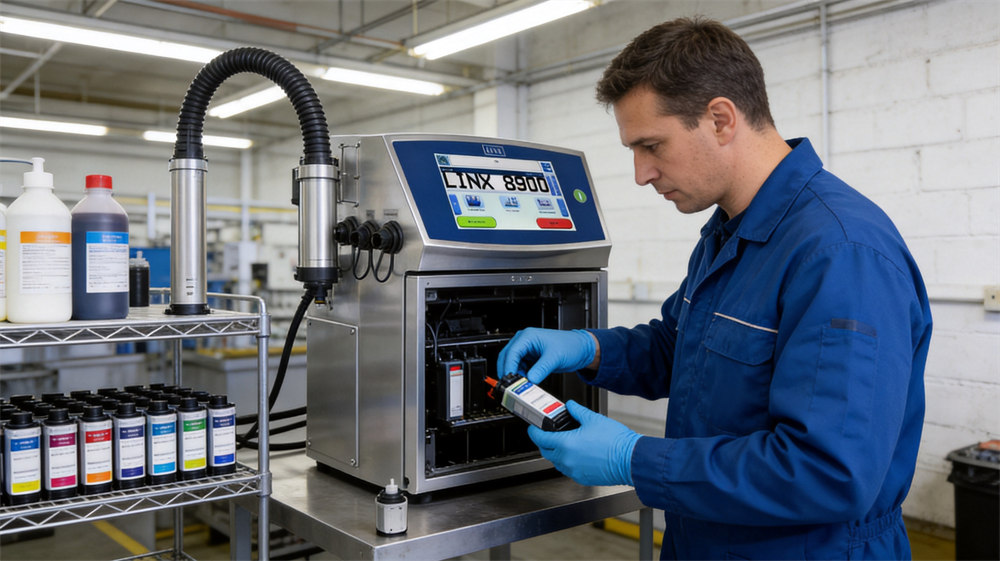
Keeping ink and solvent cartridges topped up prevents air from entering the fluid system and ensures consistent print quality.
Step 3: Run a Test Print and Inspect Code Quality
A test print at the start of every shift is your early warning system. It takes 30 seconds to run and can save you hours of lost production by catching problems before they affect actual products on the line.
Print a test pattern on a scrap piece of packaging material or a dedicated test card, then examine the code under good lighting. Here is what to look for:
| What You See | Likely Cause | Action |
|---|---|---|
| Sharp, clean characters | System is operating normally | No action needed — proceed with production |
| Missing dots or gaps in vertical strokes | Partial nozzle blockage | Run auto-flush cycle; clean nozzle with solvent (see Step 1) |
| Feathered or fuzzy edges | Incorrect ink viscosity or deflection misalignment | Check solvent level; run viscosity auto-adjust; if persistent, run calibration |
| Uneven character height | Jet instability or charge parameter drift | Run automatic setup/calibration; check for air in the ink system |
| No print at all | Full nozzle blockage or air in system | Run multiple flush cycles; check ink supply; if unresolved, contact service |
Why it matters: Catching a partial clog at shift start — when you can fix it in 2 minutes with a solvent wipe — is far better than discovering it mid-production, when rejected products and line stoppages are already accumulating.
Step 4: Perform a Proper Shutdown Flush
This step is the one most often skipped — and it is the one that causes the most expensive damage. When a CIJ printer sits idle during lunch breaks, shift changes, or overnight shutdowns, the solvent in the ink continues to evaporate from the nozzle face. Within hours, the ink left at the nozzle orifice dries and hardens into a solid plug.
The Hardening Timeline
- 1-2 hours (lunch break): Light surface film forms — easily removed with a solvent wipe
- 4-8 hours (overnight): Moderate clog — may require auto-flush cycle plus manual cleaning
- 24+ hours (weekend): Hard blockage — may require ultrasound cleaning or printhead replacement
How to Do It (2 minutes)
- Navigate to the shutdown procedure on the printer's control panel (on the Linx 8900, go to: Menu > Shutdown > Flush & Shutdown).
- The printer will automatically flush solvent through the printhead, nozzle, and internal ink passages, displacing the ink and leaving the system filled with clean solvent.
- Wait for the shutdown sequence to complete. Do not unplug the printer until the display confirms shutdown is finished — interrupting the flush mid-cycle leaves the system partially filled with ink.
- For extended shutdowns (weekends, holidays), consider capping the printhead or removing it and storing it in a sealed container with a solvent-soaked pad to maintain humidity.
Never Simply Power Off
Pressing the power button or unplugging the printer without running the shutdown flush is the fastest way to guarantee a clogged printhead on the next startup. Always use the proper shutdown sequence.
Step 5: Inspect the Ink System for Leaks and Damage
While the first four steps focus on the printhead and fluids, this final step is a quick visual inspection of the entire ink delivery system — the hoses, connectors, filters, and the printer body itself. It takes 30 seconds but can catch problems that lead to major failures if left unchecked.
What to Check (30 seconds)
| Component | Look For |
|---|---|
| Ink tubing / hose | Kinks, cracks, soft spots, bulges, or any signs of ink leaking at connection points |
| Printhead connector | Firm connection, no ink seepage, no loose or corroded electrical contacts |
| Cartridge bay | Cracks or chips in the cartridge housing, residue buildup around the seating area |
| Drip tray / catch basin | Overflow or excessive ink accumulation (indicates a leak or alignment issue) |
| Printer body & vents | Dust accumulation on cooling vents, any physical damage to the enclosure, door seals intact |
| Filter (if accessible) | Discoloration or contamination — replace per manufacturer's recommended schedule |
Why it matters: A small leak at a tubing connector today becomes a major ink spill next week, which can contaminate nearby equipment and create a slip hazard. A kinked hose restricts ink flow, causing the pump to work harder and shortening its life. Catching these issues early is pure preventive maintenance.
Summary: Your Daily Maintenance Checklist
Print this checklist and keep it posted next to your CIJ printer. The total time for all five steps is approximately 7-10 minutes — a small investment that pays for itself many times over in reduced downtime and extended equipment life.
Start of Shift
- Clean printhead nozzle — solvent drip, lint-free wipe, one-direction pass
- Check ink & solvent levels — replace any cartridge below 20%
- Run test print — inspect for sharpness, completeness, and correct placement
- Visual system inspection — check tubing, connectors, drip tray, vents
End of Shift
- Execute proper shutdown flush — use menu shutdown, wait for completion
- Wipe down printer body — remove any ink splatter or dust from the enclosure
Weekly Add-Ons
- Deep clean nozzle with solvent soak (5-minute soak)
- Inspect and replace ink line filters if discolored
- Check ink/solvent expiration dates — rotate stock (FIFO)
- Verify environmental conditions (temperature 5-40 C, humidity 20-80% RH)
- Calibrate jet deflection and charge parameters
Total Daily Maintenance Time
~10 minutes
vs. average repair downtime: 2-4 hours + parts cost
The Bottom Line
Every one of these five steps addresses a specific failure mode that, left unchecked, leads to costly downtime and premature component replacement. The sequence is not arbitrary — it follows the natural workflow of a shift: start by cleaning and checking, end by flushing and securing.
The most important insight is this: the cost of daily maintenance is not in time or materials — it is in discipline. Building these five steps into a non-negotiable shift routine, like putting on PPE or locking out equipment before maintenance, is what separates operations that get years of reliable service from their CIJ printers from those that are constantly calling for service.
Train every operator who interacts with the printer to perform these steps. Post the checklist. Make it part of the handover protocol between shifts. The ten minutes you invest today will save you thousands in lost production and repair costs tomorrow.
Disclaimer: This article provides general maintenance guidance applicable to most industrial CIJ inkjet printers. Always refer to your specific printer's operator manual for model-specific procedures, approved consumables, and safety requirements. The Linx 8900, VJ 1880+, and Markem-Imaje 9450E are referenced as representative examples of CIJ technology.





 IPv6 network supported