Leave A Message
Leave A Message
If you are interested in our products and want to know more details,please leave a message here,we will reply you as soon as we can.
submit
Blog Center
Home Blog Center

What role do RFID chips play in the management of ink and cartridges for CIJ printers?

What role do RFID chips play in the management of ink and cartridges for CIJ printers?

Jul 03, 2026

What Role Do RFID Chips Play in CIJ Printer Ink and Cartridge Management?
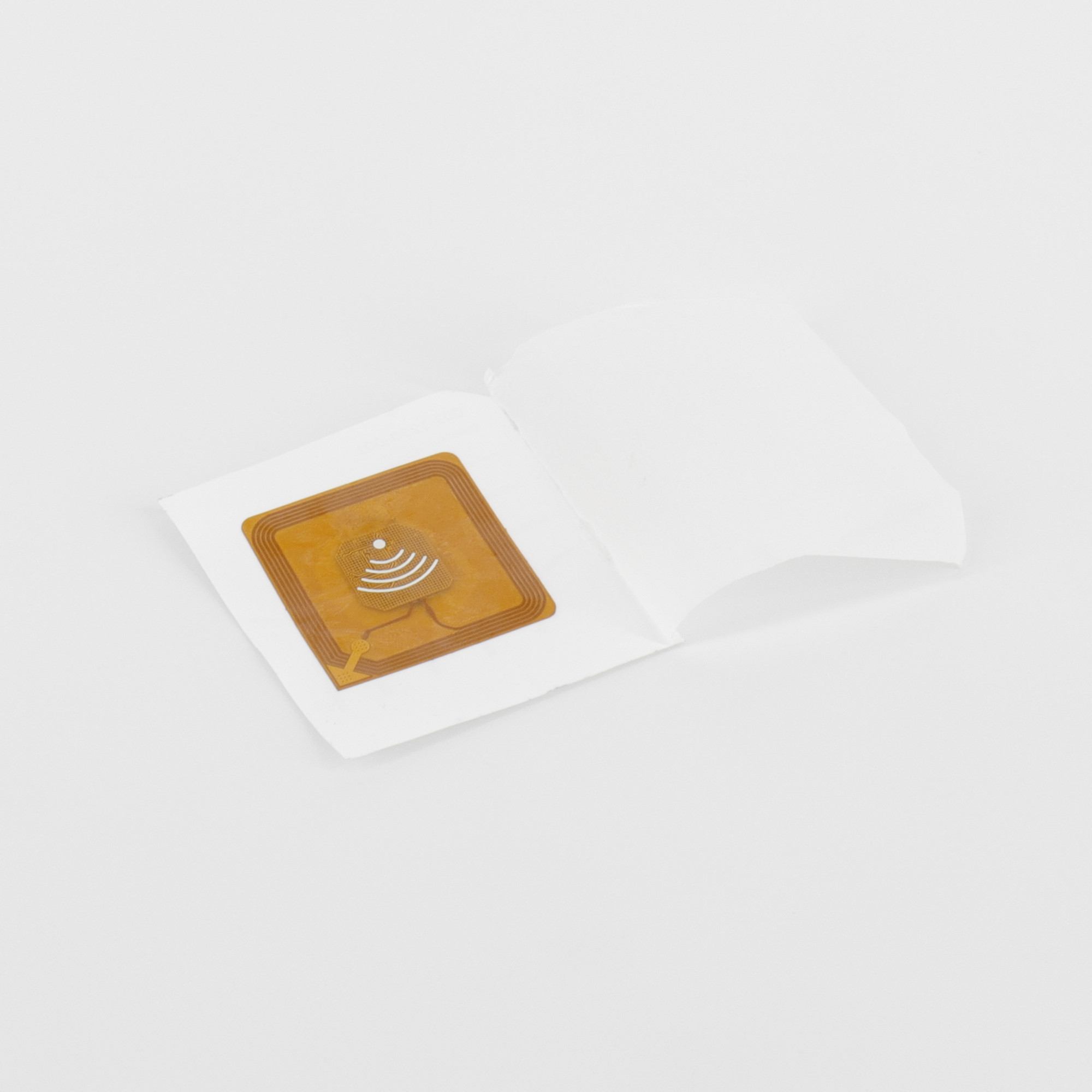
 

ciitronix chip

Published on July 3, 2026  |  Reading time: ~3 min  |  Category: CIJ Technology

If you have ever swapped a ink cartridge on a Videojet 1710, Domino A200+, or Markem-Imaje 9450E, you have already interacted with an RFID chip — even if you did not realize it. That small chip embedded in the cartridge is doing far more than you might think.

Let's break down exactly what RFID chips do in CIJ printer ink management, why brands use them, and what it means for you as an end user.


What Is the RFID Chip in a CIJ Ink Cartridge?

RFID (Radio Frequency Identification) chips are small electronic tags embedded inside CIJ ink cartridges and solvent bottles. When you insert a cartridge into the printer, the reader inside the machine scans the chip and retrieves key data:

  • Ink type and color — tells the printer whether it is dye-based black, pigment white, MEK yellow, etc.
  • Remaining ink volume — tracks how much ink is left in real time
  • Manufacturing date and expiry — alerts when ink is expired or approaching shelf life
  • Batch/lot number — enables traceability for quality control
  • Unique serial number — prevents counterfeit cartridges from being used


Why Do CIJ Brands Use RFID Chips?

The adoption of RFID in CIJ ink cartridges is driven by two sides — the manufacturer and the user:

For the Printer Manufacturer

  • Anti-counterfeit protection — Only cartridges with authenticated chips are accepted by the printer. This protects the brand's consumables revenue.
  • Lock-in to OEM ink — Third-party or compatible inks without the correct chip will be rejected by the printer.
  • Traceability — Every cartridge can be tracked from factory to end user, supporting warranty claims and quality audits.

For the Production User

  • Automatic ink identification — No risk of loading the wrong ink type. The printer reads the chip and confirms compatibility instantly.
  • Accurate level monitoring — The system tracks remaining ink in real time, triggering low-ink alerts before you run dry.
  • Reduced human error — Operators cannot accidentally install a dye-based cartridge when a pigment ink is required.

Which CIJ Brands Use RFID Chips?

Brand Models Using RFID Notes
Videojet 1710, 1880, 1860, 1580, 1620 Smart cartridge system with chip authentication
Domino A200+, A220+, A300, Ax-Series 825ml cartridges with embedded RFID chip
Markem-Imaje 9450E, 9028, 9040, 9232, S8 M6 module with chip for ink authentication
Linx 8900, 8910, 8920, F-Series Linx code on cartridge with chip verification
Hitachi UX, RX2, PX, PB, MX-G RFID on newer UX-series cartridges
Citronix Ci5300, Ci5100, Ci580 RFID-tagged ink/solvent cartridge (302-1006-004)
Leibinger IQJET, JET3up Smart cartridge with chip on newer models


The Big Question: Can You Use Compatible Ink with RFID?

This is where it gets tricky for many users. Because the printer reads and verifies the RFID chip before accepting the cartridge, simply filling a compatible ink into an OEM cartridge does not always work.

Here is how the industry has adapted:

  • Decoded / reset chips — Some compatible ink suppliers offer cartridges with reset RFID chips that the printer recognizes. The chip is reprogrammed to show correct ink type and full volume.
  • Chip bypass solutions — Some suppliers provide replacement chips that can be swapped onto compatible cartridges.
  • Non-chipped cartridge models — Older CIJ printers and certain brands (Hitachi, KGK, Willett) use bottles without RFID, making compatible ink usage straightforward.
  • OEM cartridge + compatible ink refill — Some users refill OEM cartridges with compatible ink while keeping the original chip intact. This works until the chip reports the cartridge as "empty."
Important: Using incompatible chips or modified cartridges may void your printer warranty in some regions. Always check with your supplier about chip compatibility before purchasing.

Best Practices for Managing RFID Cartridges

  1. Always store cartridges upright — The RFID reader inside the printer needs a clear signal. Damaged chip placement from improper storage can cause read failures.
  2. Keep chips dry and clean — Ink residue or moisture on the chip surface can interfere with the RFID signal.
  3. Track cartridge batch numbers — Use the chip data to build an ink consumption log. This helps with inventory planning and cost tracking.
  4. Replace cartridges before expiry — Expired ink can degrade print quality. The RFID chip stores the expiry date — take advantage of it.


Conclusion

RFID chips have become a standard feature in modern CIJ ink cartridges. They provide real benefits for production users — automatic ink identification, accurate volume tracking, and error-free cartridge installation — while also serving as a brand protection tool for manufacturers.

Understanding how these chips work helps you make better purchasing decisions, whether you choose OEM cartridges or explore compatible ink options. The key is knowing your printer model, its chip requirements, and working with a supplier who can provide the right solution.

Need compatible CIJ ink with the correct chip for your printer? Contact us — we supply decoded and chip-equipped cartridges for Videojet, Domino, Markem-Imaje, Linx, Hitachi, Citronix, and other leading brands.

Leave A Message

Leave A Message
If you are interested in our products and want to know more details,please leave a message here,we will reply you as soon as we can.
submit

Home

products

whatsApp

contact