
What Are You Looking For?
How to Choose the Right Inkjet Printer Spare Parts for Continuous Production
Published on June 26, 2026 | Reading time: ~5 min | Category: CIJ Printer Maintenance
In high-speed manufacturing, every minute of downtime costs money. Your continuous inkjet (CIJ) printer runs day after day on the production line, and when a component fails, the entire line can grind to a halt. The solution? Keep the right spare parts on hand and know how to choose them wisely.
This guide covers the essential CIJ printer spare parts you need, how to select quality replacements, and a simple maintenance checklist to prevent unexpected breakdowns.
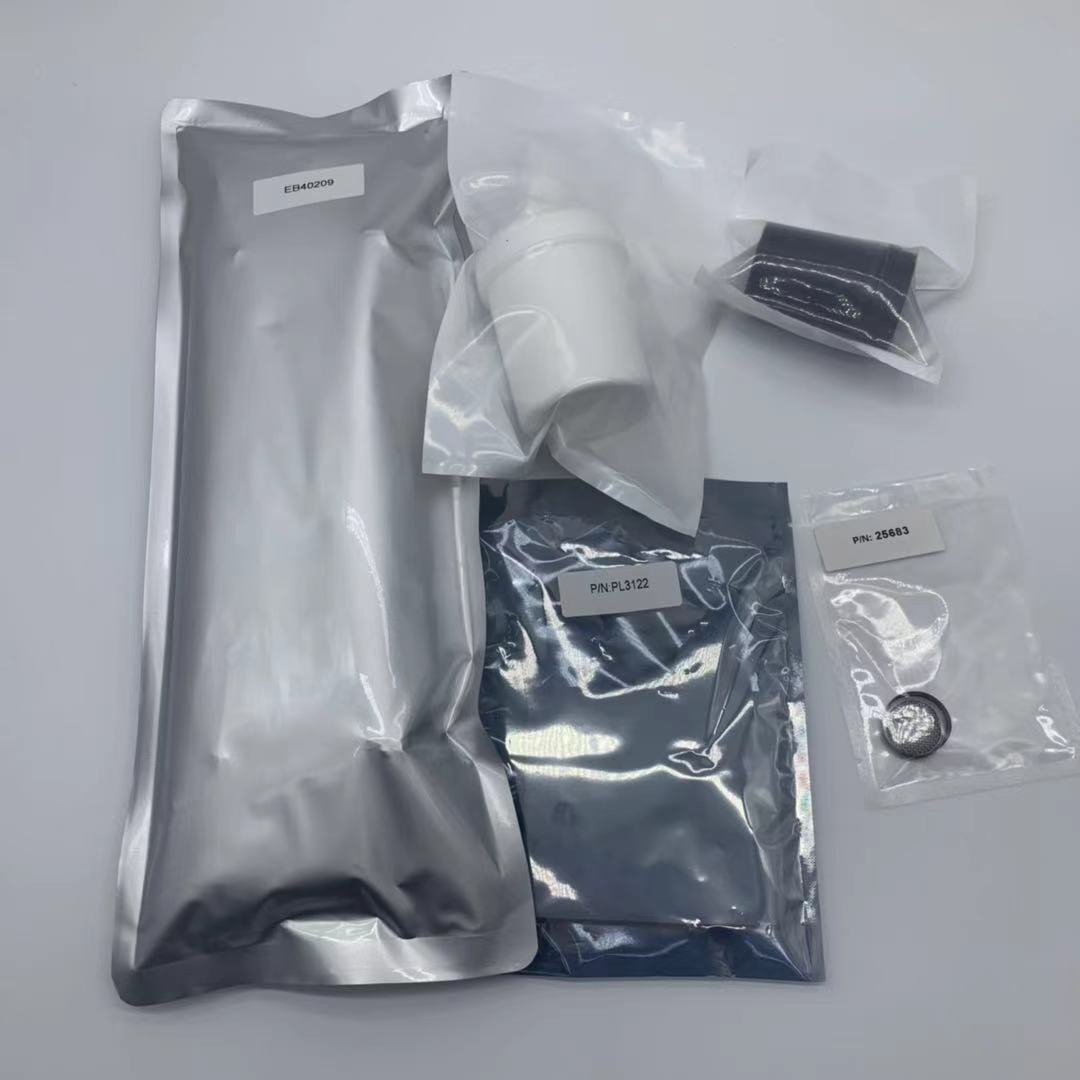
CIJ printer spare parts — filters, pumps, nozzles, and circuit boards ready for installation
Not all parts fail at the same rate. Some wear out regularly and should always be in your inventory. Here are the top 5 consumable spare parts for any CIJ printer:
Filters are the first line of defense for your CIJ printer. They trap dust, dried ink particles, and debris before they reach the nozzle. A clogged filter leads to poor print quality, missing characters, or even nozzle damage.
The nozzle is the heart of your CIJ printer. A damaged or worn nozzle causes deflection errors, blurred prints, and ink leakage. Most CIJ nozzles have a service life of 6,000–8,000 hours under normal operation.
Always keep at least one spare nozzle on hand. A nozzle failure means immediate production stop — there is no workaround.
Solenoid valves control ink and solvent flow through the system. Valve failure can cause ink leakage, inconsistent printing, or failure to start. These are wear items that typically last 1–2 years.
The pump pressurizes the ink system. A failing pump leads to low pressure alarms, weak jet streams, and complete print failure. Keep a spare pump for your specific printer model — Videojet, Domino, Hitachi, Linx, and other brands each use different pump specifications.
While technically a consumable rather than a "part," make-up solvent is the most critical item to stock. Without solvent, the ink dries in the system, potentially ruining the nozzle, filters, and pump. Always maintain at least a 2–4 week supply.
| Part | Function | Replace When | Priority |
|---|---|---|---|
| Charging electrode | Charges ink droplets for deflection | Print quality degrades, misaligned characters | Medium |
| Recovery slot / gutter | Captures unused ink droplets | Visible wear, ink splashing | Medium |
| Circuit board / PCB | Controls printer electronics | Error codes, no power, display failure | Low (keep 1 on hand) |
| Tubing & connectors | Ink and solvent lines | Cracks, leaks, discoloration | Medium |
| Touch screen / display | User interface | Cracked, unresponsive, flickering | Low |
| UV lamp (if applicable) | Cures UV ink on substrate | Reduced output, ink not drying | Low |
| Chip / smart card | Ink cartridge authentication | Printer rejects new cartridge | Brand-specific |
This is one of the most common decisions for production managers. Here is a straightforward comparison:
| Factor | OEM Parts | Compatible (Aftermarket) Parts |
|---|---|---|
| Quality guarantee | Full manufacturer warranty | Varies by supplier — choose reputable ones |
| Price | Higher (2–5x) | Significantly lower |
| Availability | May require ordering from manufacturer | Usually in stock, fast shipping |
| Compatibility risk | Zero — designed for your model | Low if sourced from experienced suppliers |
| Best for | Critical components (nozzle, pump, PCB) | Consumables (filters, tubing, valves) |
Ordering the wrong part wastes time and money. Follow these steps to get it right the first time:
The best way to manage spare parts is to need fewer of them. A solid preventive maintenance routine can extend component life by 30–50%:
Not sure what to stock? Use this simple checklist based on your printer brand:
| Part | Qty per Printer | Replace Cycle |
|---|---|---|
| Main ink filter | 2–3 | Every 3–6 months |
| Nozzle filter | 3–5 | Every cleaning cycle |
| Spare nozzle assembly | 1 | Every 6,000–8,000 hours |

Leave A Message
Scan to Wechat :

Scan to WhatsApp :

 English
 Pусский
 Español
 Português
 العربية
 فارسی
فارسی




 IPv6 network supported