
What Are You Looking For?
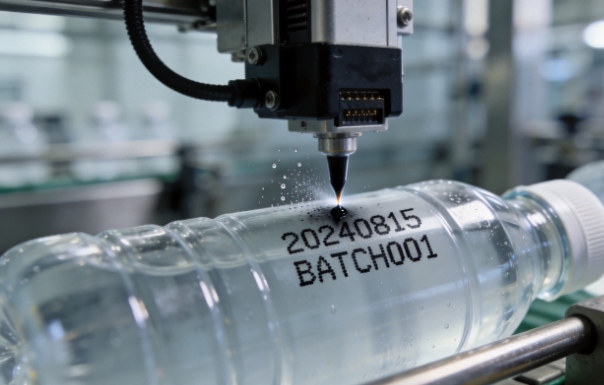
A blurry, broken, or fading code on your production line is more than an annoyance — it's lost time, rejected product, and a headache for quality control. If your continuous inkjet (CIJ) printer (such as the Markem-Imaje 9450) is printing poorly, don't panic.
Most clarity issues have simple root causes you can fix in minutes. Here are 7 quick, practical fixes to get your codes sharp again — and keep them that way.
| Symptom | Likely Cause | Fix |
|---|---|---|
| Blurry / fuzzy characters | Low ink viscosity or contaminated ink | Check & replace ink cartridge |
| Missing or broken dots | Clogged nozzle | Run nozzle cleaning cycle |
| Fading print | Low ink level / aging ink | Replace cartridge |
| Ink smearing | Drying time too slow | Use fast-drying ink, check print distance |
| White streaks / gaps | Partially clogged printhead | Flush & clean printhead |
| Incorrect or no code printed | RFID chip recognition issue | Reinstall compatible cartridge |
| Inconsistent output | Poor-quality ink batch | Switch to a reliable compatible supplier |
The #1 cause of unclear CIJ printing is a partially clogged nozzle.
Ink residue can build up around the nozzle, especially after downtime or long runs with low-quality ink. Run your printer's automatic nozzle cleaning cycle, or manually clean with the appropriate additive / makeup solution. Regular maintenance prevents most clarity issues before they start.
Low ink produces faint, broken characters. Wrong viscosity produces blurry or smeared prints.
Always keep spare cartridges on hand and check ink levels daily. If the ink has been in the machine too long, replace it — aged ink loses its drying and adhesion properties.
Different materials need different ink formulations.
Using the wrong ink is a common cause of poor adhesion, smearing, or codes that rub off. Match your ink to your substrate for clear, durable marks.
CIJ printers are sensitive to temperature and solvent balance.
If the workshop is too hot or too cold, ink viscosity shifts — leading to blurry characters or satellite dots. Maintain the operating environment within the recommended range (typically 5–40°C) and ensure the correct makeup/additive balance is maintained.
Printing too far from the substrate or too fast can cause fuzzy, smeared, or fragmented codes.
If your CIJ printer won't recognize the cartridge or prints intermittently, the RFID chip may be the culprit.
When using compatible cartridges, always ensure they carry the correct, tested RFID chip (such as the A188 series) so your machine recognizes them seamlessly. A reliable supplier guarantees chip compatibility — avoiding frustrating "cartridge not recognized" errors.
Quality matters — batch after batch.
If you keep chasing clarity issues, the problem may be inconsistent ink quality from a low-cost supplier. Unstable viscosity, impurities, or poor solvent balance all show up as bad print quality.
Choosing a trusted compatible ink source gives you:
For operators using the Markem-Imaje 9450 / 9450C / 9450E, a 750ml compatible ink cartridge from a reliable supplier delivers clear, stable prints at a fraction of the OEM cost — and eliminates the quality guesswork.
At Kingsfang.com, our CIJ consumables are:
| Feature | Benefit |
|---|---|
| Tested for 9450 series | Plug-and-play compatibility |
| Integrated RFID chip (A188-compatible) | Seamless cartridge recognition |
| Fast-drying, solvent-based ink | Sharp codes on plastics, films, metals |
| 750ml capacity | Lower cost per print |
| ISO 9001 facility | Consistent, lab-verified quality |
| Stable stock & fast shipping | No production downtime |

Leave A Message
Scan to Wechat :

Scan to WhatsApp :

 English
 Pусский
 Español
 Português
 العربية
 فارسی
فارسی




 IPv6 network supported