
What Are You Looking For?
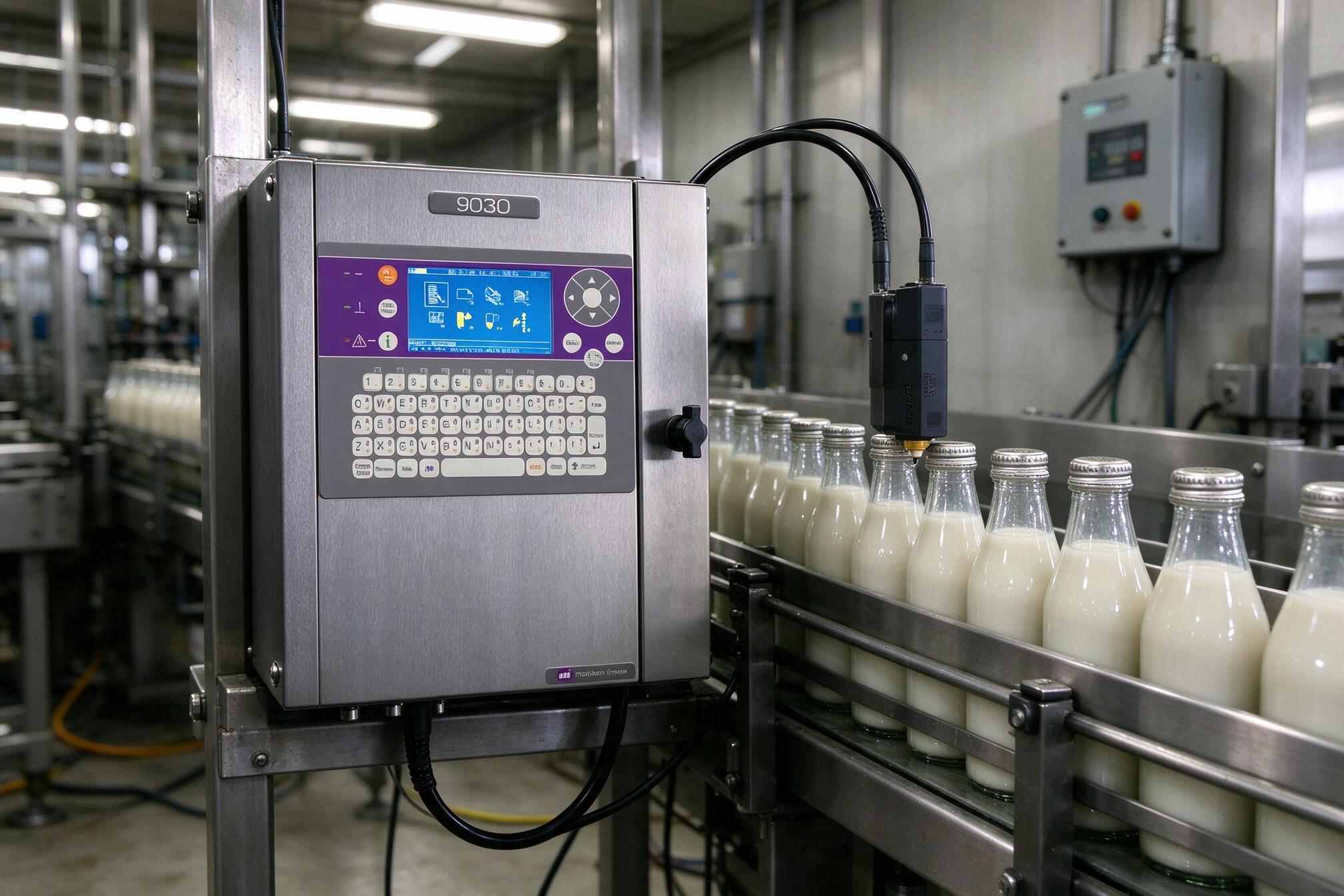
The Imaje 9020 and 9030 come from the same 9000-series family of small-character continuous inkjet (CIJ) coders, and on the shop floor they look almost identical: a compact brushed-stainless cabinet, a purple control panel with a blue backlit screen and membrane keyboard, no compressed air required, and the same IC60 ink system with dual 0.8-liter sealed cartridges.
But under the skin they are aimed at different tiers of the market. In plain terms: the 9020 is the value model for single-line, basic coding; the 9030 is the productivity model with dual-head options, higher speed, sharper print, and more uptime features. This guide breaks down where they genuinely differ, where they don’t, and how to pick the right one for your application.
| Feature | Imaje 9020 | Imaje 9030 |
|---|---|---|
| Nozzle configuration | Single nozzle (fixed) | Single or dual nozzle |
| Max print lines | 4 lines | 4 lines per head — up to 8 with dual head |
| Print resolution | G-nozzle, 71 dpi | G-nozzle 71 dpi or M-nozzle 115 dpi |
| Max line speed | 4.4 m/s | 5.5 m/s |
| Dot matrix heights | 5–24 dot | 5–48 dot (48-dot with dual head) |
| Message height | 1.8–8.7 mm | 1.2–18.2 mm |
| Auto printhead cleaning | — | Standard |
| Consumables changeover | Standard | Hot-swap, no line stop |
| Message storage | 100 messages | Up to 880 messages |
| Ingress protection | IP54 | IP54 standard, IP65 optional |
| Networking | RS-232/422, parallel, I/O | Same + optional Ethernet |
| Right-angle (90°) printhead | — | Optional head and umbilical |
| Weight / mounting | 19.5 kg, bracket or stand mount, 3 m umbilical | |
| Ink system | IC60 closed loop, dual 0.8 L sealed cartridges, solvent- and water-based inks | |
| Interface | 31 languages, WYSIWYG display, on-board graphics editing, PCMCIA/Compact Flash | |
Specs compiled from manufacturer and distributor documentation; exact figures vary slightly by configuration and region.
This is the biggest architectural gap. The 9020 runs a single G-nozzle printhead, so it codes one product stream at a time and tops out at four lines of print. The 9030 accepts a second printhead, and each head can independently print up to four lines — two sides of the same carton, two lanes of a twin-track conveyor, or two separate lines from one cabinet. If your application says “two positions, one printer,” the 9030 is effectively the only answer in this pair, and it costs far less than two machines plus the extra floor space.
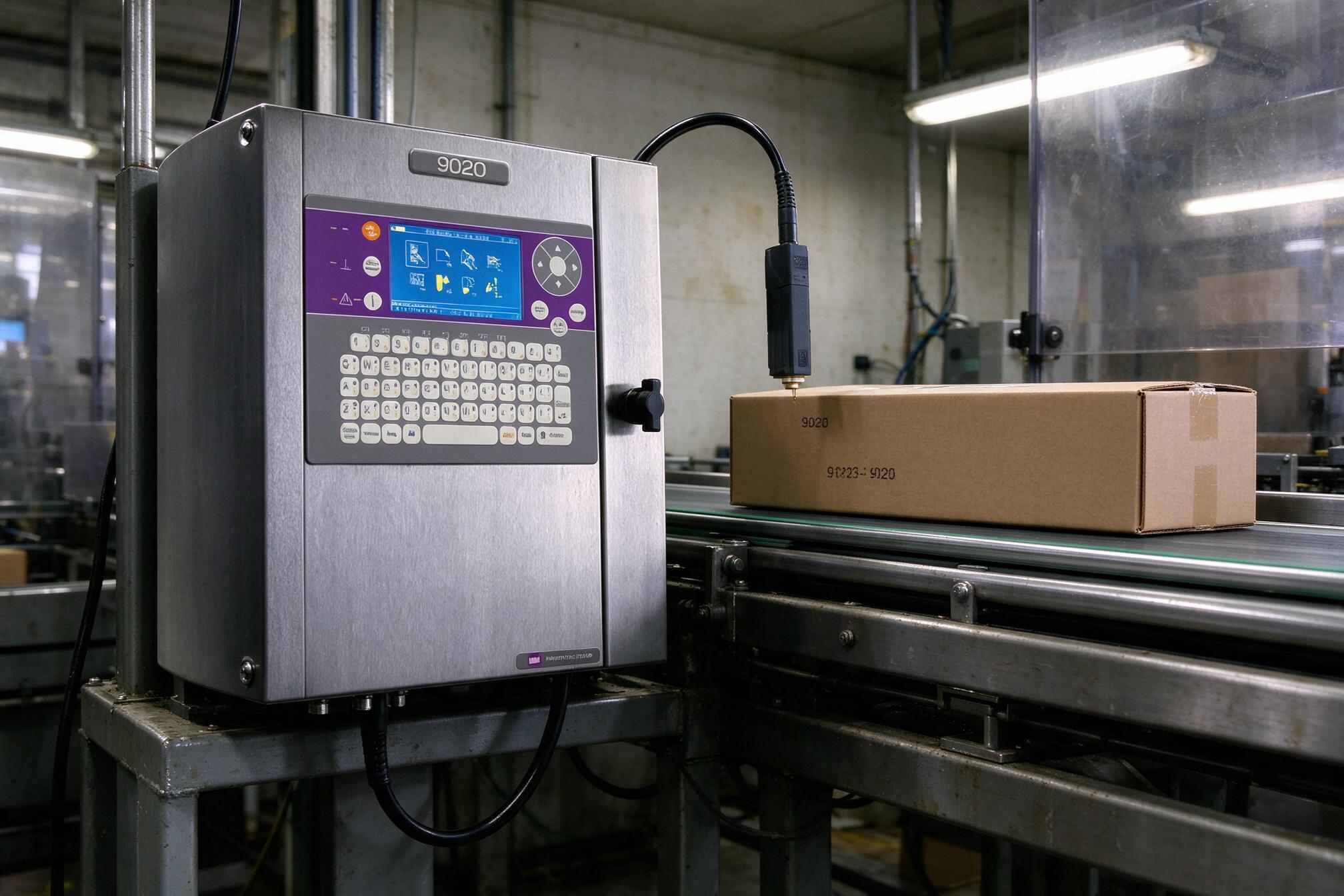
Rated maximum speed is 4.4 m/s on the 9020 versus 5.5 m/s on the 9030. In practice, both comfortably cover filling, canning, and cartoning speeds, but the margin matters. On fast lines with short product pitch, the 9030’s extra headroom keeps print quality stable at high throughput, while the 9020 may force you to shorten the message or reduce dot height. If your line runs under roughly 3 m/s, both are fine; near or above 4 m/s, the 9030 is the safer pick.
The 9020 is locked to the 71-dpi G-nozzle, printing 5–24-dot characters from 1.8 to 8.7 mm — fine for standard date/lot codes. The 9030 adds two things: the 115-dpi M-nozzle for noticeably cleaner small text and better-graded 1D/2D barcodes, and dual-head configurations that reach 48-dot characters (up to 18.2 mm message height). If you need DataMatrix codes that scan reliably, or a larger, bolder logo, the 9030 does both; the 9020 will look adequate at best.
The 9030 carries the series’ more mature uptime package: an automatic printhead cleaning system for fast, reliable startup after shutdown or weekend stops, and hot-swappable consumables so a cartridge change never interrupts printing. Its message library is also far larger (up to ~880 vs 100 stored messages), which matters if you run frequent SKU changeovers. None of this changes print quality — it changes how often an operator stands in front of the machine.
Both cabinets are IP54 stainless steel, but the 9030 offers an IP65 version for washdown-prone areas like dairy, beverage, and meat processing. It also adds optional Ethernet for remote monitoring or message management, and a 90° right-angle printhead and umbilical for mounting in tight spaces or printing on the side of products. The 9020 keeps integration simple: serial, parallel, and I/O ports cover the basics.
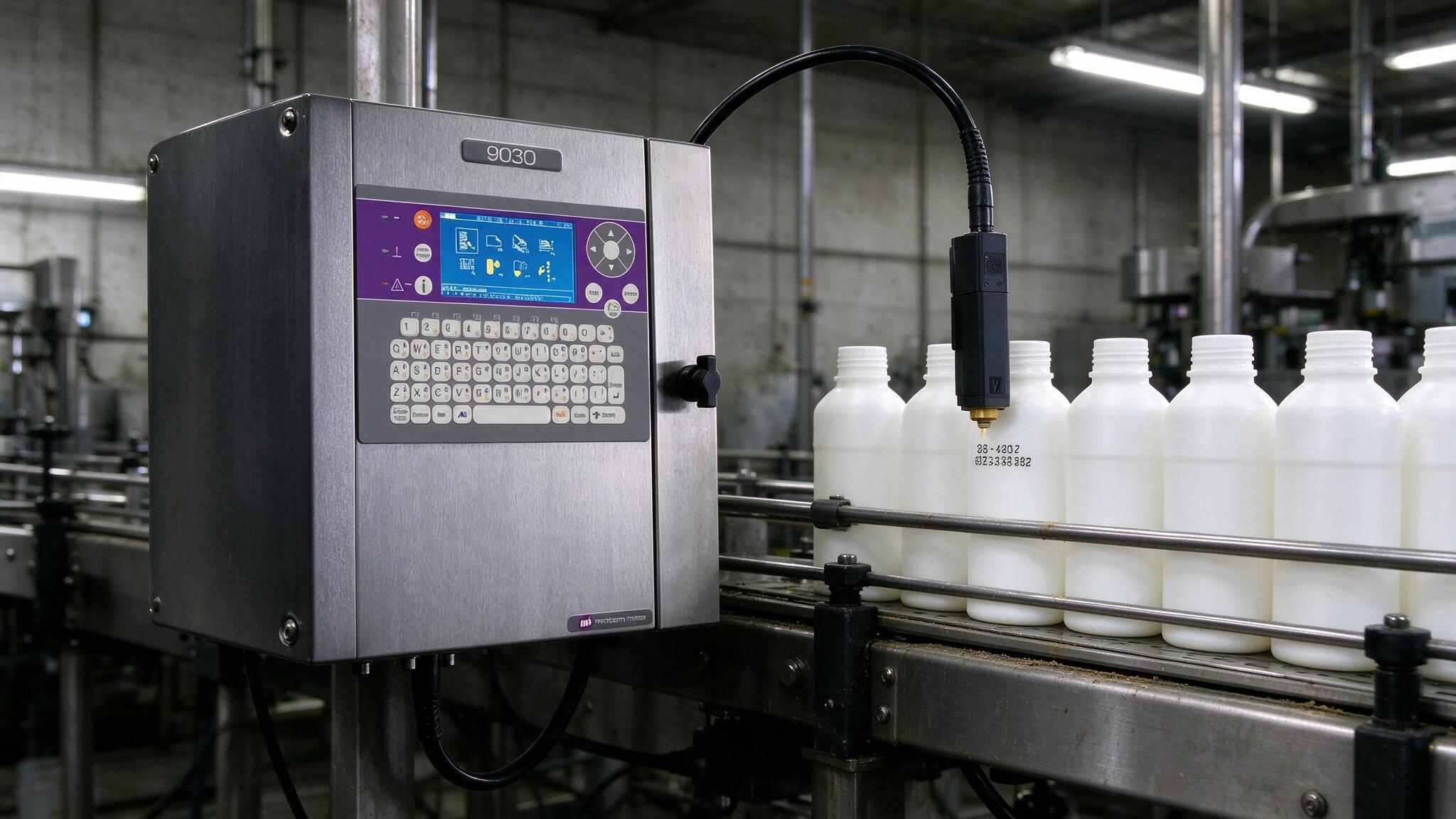
Practically, this means training, consumables, spares, and mounting hardware are shared across the pair — a plant running a mixed fleet gets real savings.
Both models are legacy machines today — the line was succeeded by the 9450 series — so most current transactions are second-hand. They remain popular there because the ink system and architecture proved extremely durable. Before you buy:
The 9020 and 9030 share the same bones, and both print a dependable small-character code. The decision comes down to one question: is basic coding your whole job, or is your application outgrowing a single head? For straightforward date and lot coding on a single line, the 9020 is the budget-smart choice. The moment you need a second printhead, higher speed, finer print, or washdown protection, the 9030 stops being an upgrade and becomes the requirement.
Disclaimer: Specifications summarized from public manufacturer and distributor documentation. Configurations vary by region and production year; always confirm details with your supplier. This article is provided for general guidance and does not constitute an endorsement.

Leave A Message
Scan to Wechat :

Scan to WhatsApp :

 English
 Pусский
 Español
 Português
 العربية
 فارسی




 IPv6 network supported