1. Cleaning Only When Printheads Are Clogged: Prematurely "Overdrawing" Printhead Lifespan
Incorrect Practice: Cleaning only when the printhead runs out of ink and the markings are blurred; no regular maintenance is performed.
Impact on Lifespan: Ink residue solidifies within the pore size (50-100μm), repeatedly clogging and wearing down the nozzles. A printhead that could normally last 3 years may need to be replaced after only 1 year.
Daily Maintenance: Before leaving get off work, activate the "Automatic Printhead Cleaning" function for 1-2 minutes and wipe the printhead surface with a lint-free cloth to remove any residue.
Weekly Deep Cleaning: Soak the printhead (only the ink surface) in a dedicated cleaning agent for 10 minutes to remove deep-seated residue.
Long-Term Downtime (>3 days): Drain the ink path or refill with maintenance solution to prevent ink from solidifying and clogging.
2. Adding Ink Without Changing the Filter: Impurities Wear Down the Ink Pump and Printhead
Incorrect Practice: The ink filter is never replaced; new ink is only added when the old ink runs out.
Impact on Lifespan: When the filter becomes clogged, impurities enter the ink pump and printhead with the ink, causing unstable pump pressure, printhead wear, and reducing the pump's lifespan from 4 years to 2 years.
Correct Operation:
UV Ink: Replace every 3 months (UV ink is prone to sedimentation).
Before Adding Ink: Check the ink for sediment. If sediment is present, filter it before adding to prevent impurities from entering the ink path.
II. Common Misconceptions about Consumables: Misuse of Consumables = "Slow Damage to the Machine"
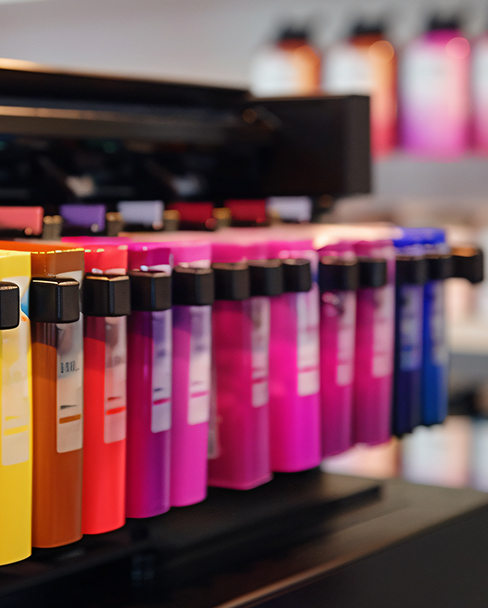
1. Mixing Different Brands of Ink: Chemical Reaction Clogs Ink Paths
Incorrect Practice: Mixing different brands and types of ink to save money (e.g., mixing water-based ink with solvent-based ink);
Impact on Lifespan: Ink component conflicts can cause precipitation, clogging ink tubes and pumps. In severe cases, the entire ink system needs to be replaced, with repair costs exceeding 30% of a new machine;
Correct Operation:
Use only the original ink compatible with your equipment, or manufacturer-certified compatible ink;
When changing ink types: Thoroughly clean the ink path (circulate a cleaning agent 3 times) to prevent residual old ink from reacting with the new ink.
2. Using common solvents instead of dedicated thinner: Corrosion of components
Incorrect practice: Using alcohol or tap water instead of dedicated thinner to adjust ink viscosity;
Impact on lifespan: Common solvents will corrode ink tubes and sealing rings, causing ink leakage, and will also damage the ink formula, affecting printing quality. Sealing rings will need frequent replacement every year;
Correct operation:
Use only the manufacturer's dedicated thinner, adding it at 3%-5% of the total ink volume;
Before adjusting viscosity: Use a viscometer to ensure the viscosity is within the equipment's recommended range (usually 15-25 cP).
III. Environmental and Storage Misconceptions: Neglecting the Environment = "Accelerated Aging"
1. Lack of Protection in Dust-Rich Workshops: Dust Clogs Printheads and Damages Circuitry
Incorrect Practice: The inkjet printer is placed directly in dusty workshops (such as hardware or plastic factories) without any protection;
Lifespan Impact: Dust enters the printhead, clogging the nozzles, and adheres to the circuit board, causing short circuits. The motherboard's lifespan is reduced from 5 years to 3 years;
Correct Operation:
Install a Dust Cover: Choose a dust cover with an IP54 rating or higher, and clean the inside of the cover daily;
Regular Equipment Cleaning: Use a hairdryer on a cool setting to blow away dust from the circuit boards and fans weekly to prevent buildup.
2. Long-term shutdown without maintenance: Components "rust and seize"
Incorrect practice: The inkjet printer is left unused for extended periods (>1 month) without any intervention;
Impact on lifespan: Residual ink in the ink path solidifies, causing the ink pump to jam; in humid environments, the circuit board is prone to oxidation, potentially leading to immediate damage upon startup;
Correct operation:
Before shutdown: Drain the ink path, circulate and clean it with maintenance solution, or refill and seal with maintenance solution;
Storage environment: Maintain a temperature of 15-30℃ and humidity of 35%-65%. Run the printer for 30 minutes monthly to prevent components from rusting and seizing.





 English
 Pусский
 Español
 Português
 العربية
 فارسی
فارسی




 IPv6 network supported